MageGee TS91 Mini 60% Gaming Keyboard review RGB backlit compact design for gamers




MageGee TS91 Mini 60% Gaming Keyboard review RGB backlit compact design for gamers
- Compact design makes it ideal for small setups or limited desk space.
- The RGB backlighting offers vibrant customization options, enhancing the gaming experience.
- Ergonomic key height ensures comfortable use during extended sessions.
- Durable build quality provides confidence for long-term use.
- The water-resistant feature allows worry-free enjoyment during gaming or work.
As an Amazon Associate I earn from qualifying purchases.
Description
Compact Design with a Sleek, Modern Look
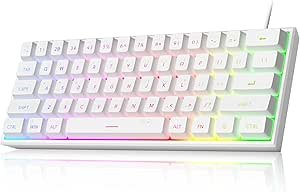
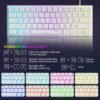
The MageGee Mini 60% Gaming Keyboard (TS91) caught my attention immediately with its ultra-compact layout. I’m someone who appreciates a tidy workspace, and this keyboard’s space-saving design is perfect for smaller desks or setups that require mobility. It skips the number pad, which I personally don’t miss as a gamer, and that creates much-needed room for my mouse movements. The white finish adds a modern and clean aesthetic, blending seamlessly with my setup. Its build quality feels sturdy despite being lightweight, and at just over a pound, it’s easy to carry to gaming sessions with friends or even to the office.
RGB Backlighting: A Gamer’s Delight
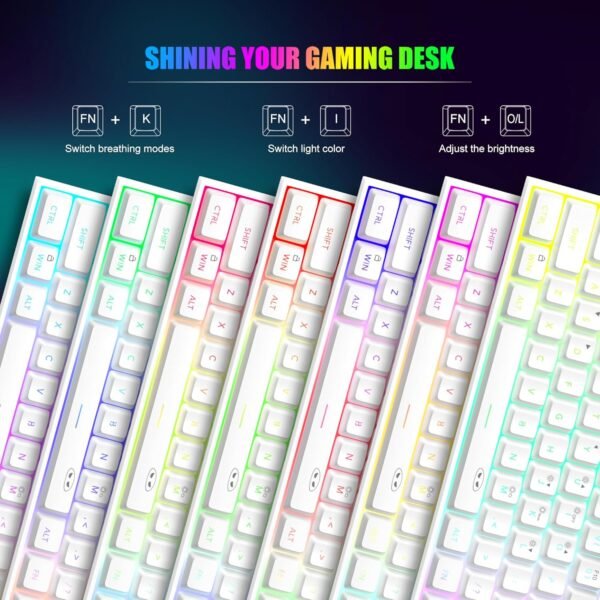
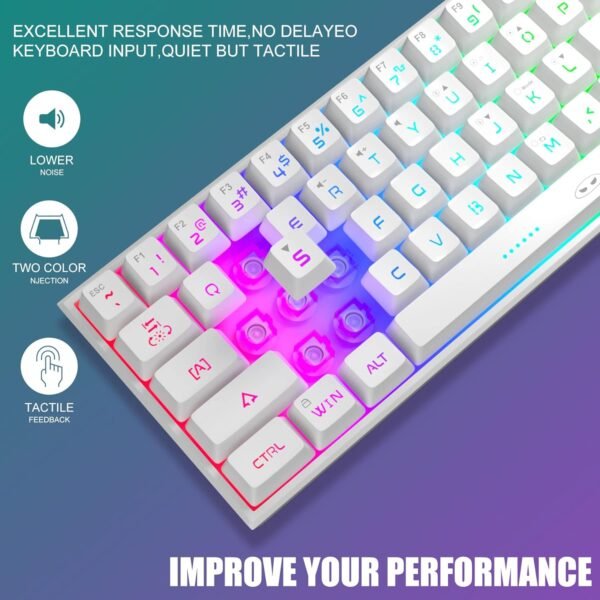
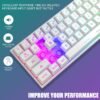
The customizable RGB backlighting is one of my favorite features. I’ve tried out several lighting modes—breathing, static, and a few dynamic ones—and they all look fantastic, especially in a dark room. Adjusting the brightness and speed of the effects is super simple, and I found it quite intuitive. Playing late-night games with this keyboard feels immersive, as the lighting adds a cool ambiance to my setup. However, I did notice that the keycaps aren’t double-shot, which means the backlighting doesn’t shine through the letters as brightly as on higher-end keyboards. Still, it’s more than sufficient for the price point.
Performance and Typing Experience
While this is technically a membrane keyboard, it’s designed to mimic a mechanical feel, and I must say, MageGee did a pretty good job. The keys have a tactile bump that gives satisfying feedback, though they lack the “clickiness” of true mechanical switches. I’ve used it for fast-paced gaming and regular typing, and the ergonomic design minimized fatigue even during longer sessions. The key height and layout feel natural, and I didn’t experience any issues with accidental presses. It’s not silent, though, so if you’re in a shared space, the sound might draw attention.
Waterproof Circuit Board: Practical and Thoughtful
Spills happen, and I’m a magnet for accidents, so knowing this keyboard has an IPX4 waterproof circuit board is a relief. I tested this claim (accidentally, I swear) with a small splash of water, and it held up perfectly. Cleaning it afterward was a breeze. However, keep in mind that the USB interface isn’t waterproof, so you’ll still want to be cautious around liquids.
Wide Compatibility and Ease of Use
This keyboard works seamlessly with Windows PCs, Macs, PS4, and Xbox One, which makes it a versatile choice for gamers who switch between platforms. I mostly used it with my gaming PC, but I also tested it on a friend’s Xbox, and it worked flawlessly. There’s no need for additional software or drivers—it’s truly plug-and-play. That said, I did find the lack of dedicated software a slight drawback since it limits customization options for the RGB lighting and key remapping.
Key Benefits
- Compact and ergonomic design that’s perfect for small spaces.
- Customizable RGB backlighting for an immersive gaming experience.
- Waterproof circuit board makes it safer to use around drinks.
- Wide compatibility with multiple devices and platforms.
Areas for Improvement
- Non-double-shot keycaps slightly reduce the brightness of backlit letters.
- Lacks dedicated software for advanced customization.
- Key sound might not suit those who prefer quieter keyboards.
Competing Products
When comparing the MageGee Mini 60% Gaming Keyboard to other budget-friendly compact keyboards like the Royal Kludge RK61 or the Keychron K6, a few distinctions stand out. The RK61 offers true mechanical switches at a slightly higher price, which might appeal to purists seeking that authentic feel. However, the MageGee keyboard’s waterproof feature is a practical edge that neither competitor boasts. The Keychron K6, on the other hand, allows for Bluetooth connectivity, making it a better choice for those who prioritize wireless functionality. Yet, the MageGee keyboard is an excellent option for gamers on a budget who don’t mind sticking to a wired setup.
Affordable Quality
For the features it offers, the MageGee Mini 60% Gaming Keyboard provides excellent value for money. Its build quality, RGB backlighting, and ergonomic design make it stand out in its price range. While some competitors may offer mechanical switches or wireless options, they often come at a higher cost. If you’re looking for a compact, reliable keyboard that performs well for both gaming and everyday use, this one checks a lot of boxes. It’s not perfect, but for the price, it delivers far more than I expected.
Additional information
| Product Dimensions | 11.5 x 4.02 x 1.57 inches |
|---|---|
| Item Weight | 1.06 pounds |
| Manufacturer | MageGee |
| Country of Origin | China |
| Item model number | TS91 |